 ClientCheck Pro
One Windows PC. 72 checks. 10 seconds.
ClientCheck Pro shows you at once what is wrong with a PC: storage, security, updates, network, software, browsers and Microsoft 365. With concrete recommendations and one-click support actions.
Windows 10 and 11 · one EXE, no installation · runs without admin rights
See ClientCheck Pro in action
The demo shows the current interface, which is in German. An English interface is in development; the user guide is already available in English.
Three calls you know too well
"My PC is so slow."
Live analysis shows CPU, RAM, disk and the top processes. Startup entries and free space are checked in one click.
"The website doesn't work."
The website check tells you in 8 steps whether the firewall blocks it, a DNS filter applies, or the site itself is down.
"Teams is acting up again."
Test Microsoft 365 reachability, clear the Teams cache and restart Teams without the user searching for anything.
Everything you need for support, in one window
Screenshots from the current version 5.1 (German interface).
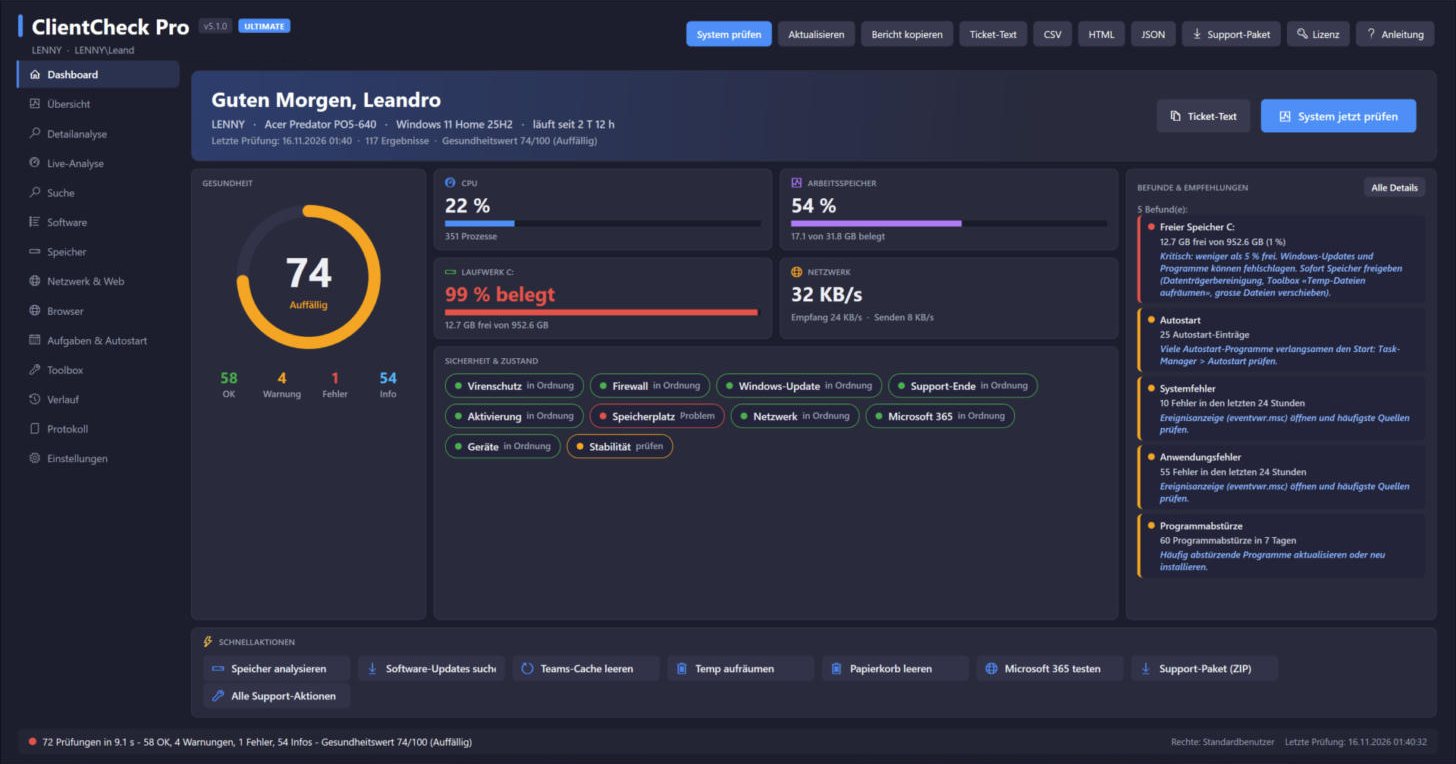
Health score and recommendations at a glance
- Health score from 0 to 100
- Findings with a concrete fix
- Quick actions for frequent tasks
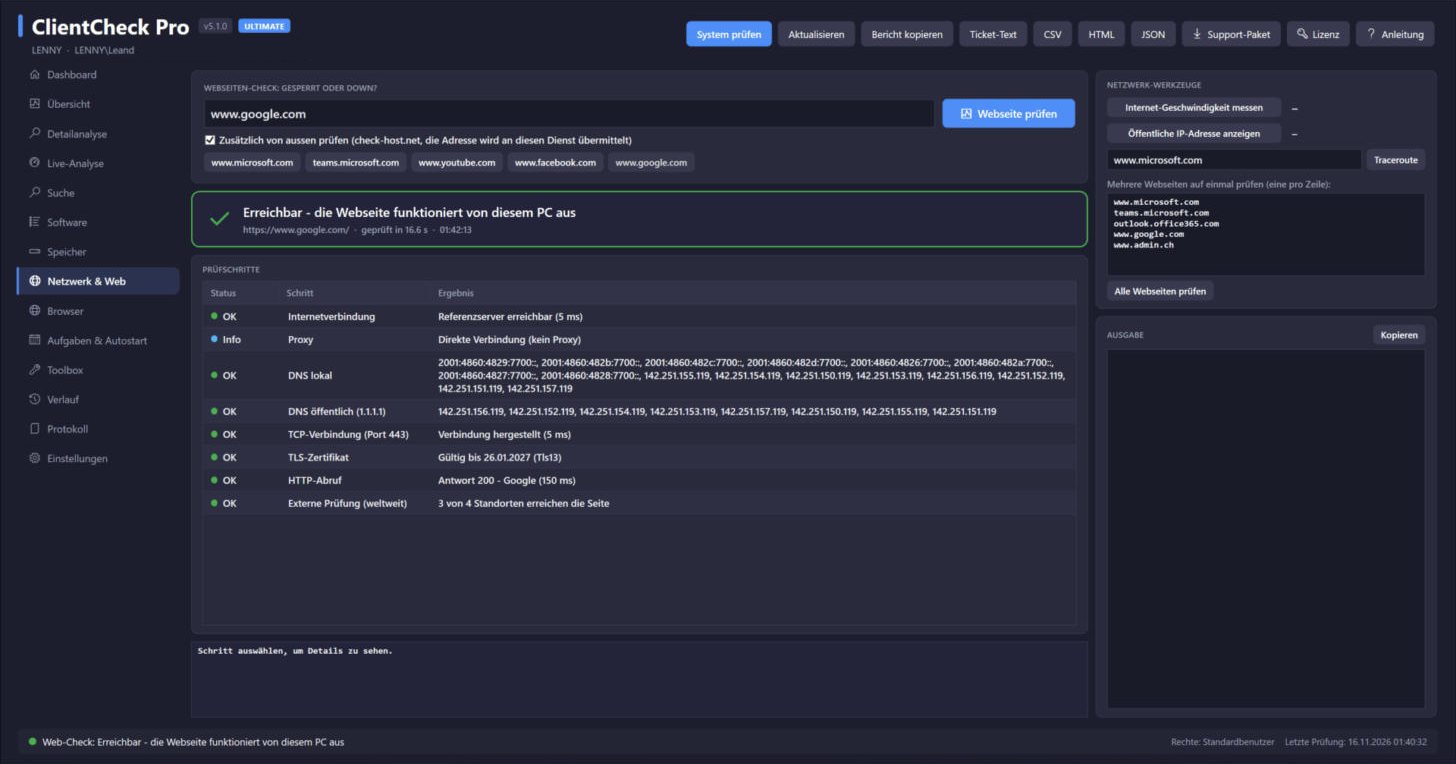
Blocked or down? Answered in 8 steps.
- Local vs. public DNS comparison
- Detects firewall block pages and SSL inspection
- External check from locations worldwide
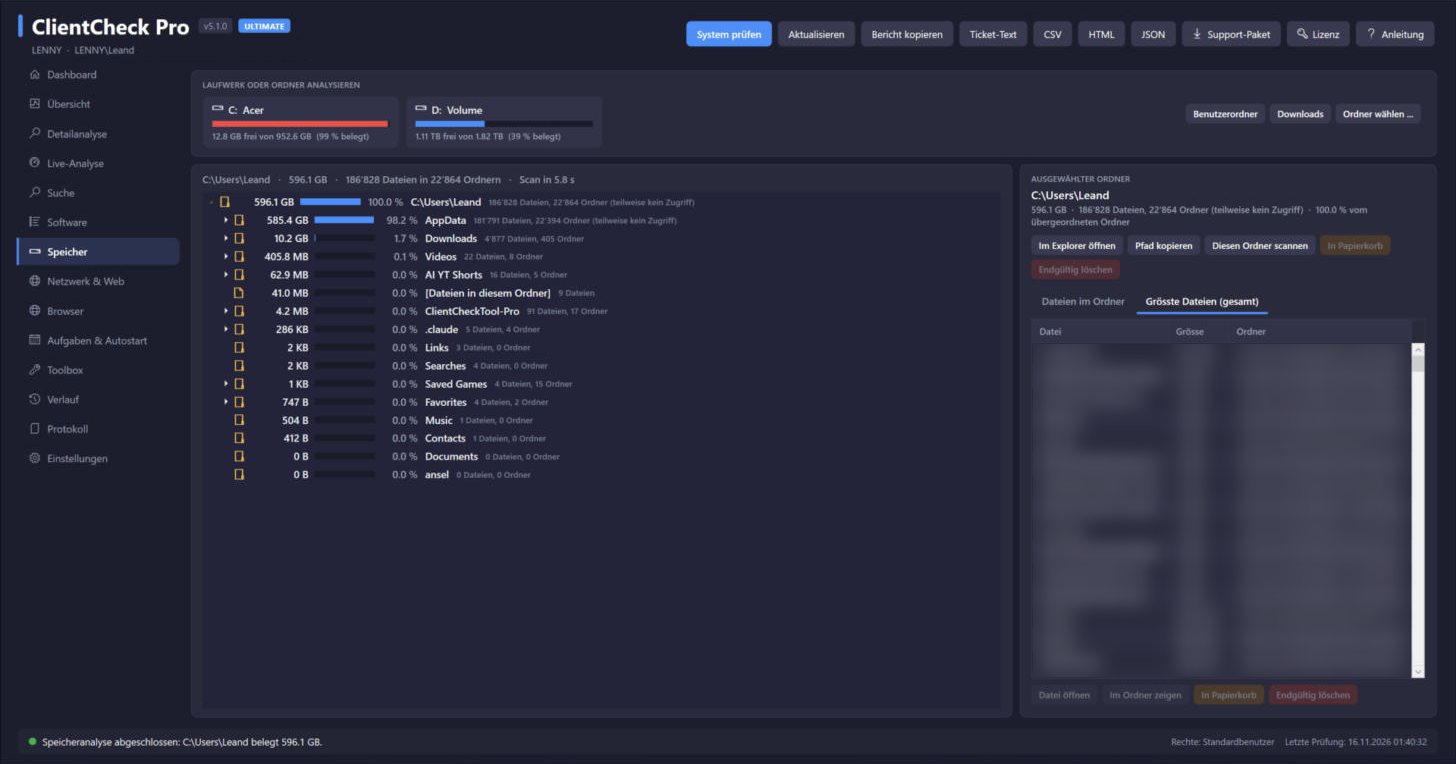
Find what eats disk space and clean up safely
- Folders by size, like TreeSize
- Largest files on the drive
- Delete to recycle bin, system folders protected
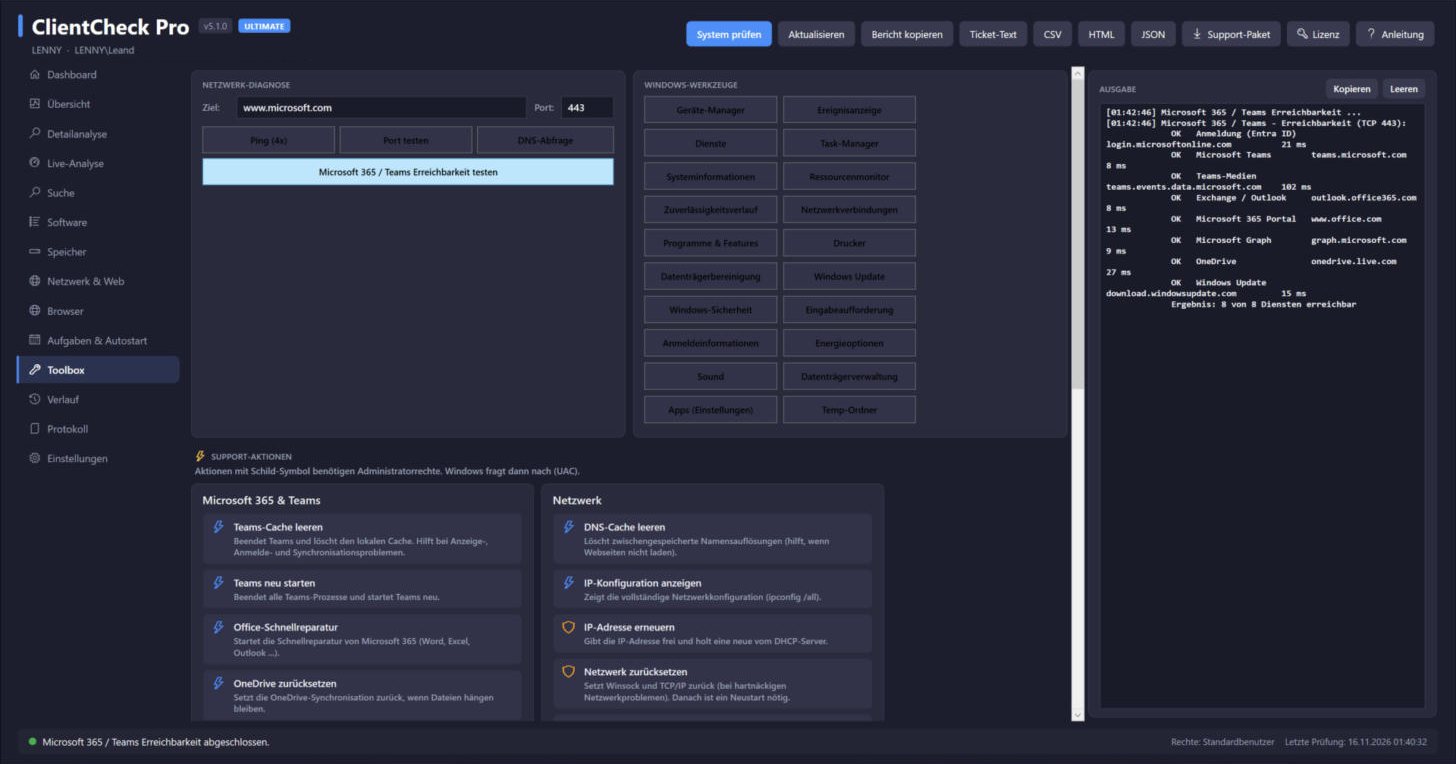
One-click support actions
- Clear Teams cache, Office quick repair
- Flush DNS cache, reset network
- Open 20 Windows tools directly
Ready in three steps
Download
Download and unzip. No installation, no registration.
Start
Double-click ClientCheckPro.exe and accept the license terms.
Check
Click "System prüfen" (Check system). After about 10 seconds you see every finding.
One annual subscription per company, all features included
Every license includes all features and updates. Try it free for 14 days, then buy a license. Secure checkout by Lemon Squeezy; taxes are calculated at checkout.
Starter
Companies up to 10 employees
$99 / year
- All features
- Updates during the term
- E-mail support
Business
up to 50 employees
$279 / year
- All features
- Updates during the term
- Reply within 2 business days
Business Plus
up to 250 employees
$649 / year
- Everything in Business
- Deployment assistance
- Command-line checks
Technician
MSPs and freelancers, use at clients
$219 / technician / year
- Unlimited client PCs
- Licensed to the technician
- Ideal for freelancers
More than 250 employees: Enterprise license on request. 50 % off for schools and non-profits. Your license key is sent by e-mail within 24 hours of purchase.
Online checkout opens soon. Until then, use the contact form below and you will receive an invoice.
Questions or an enterprise quote?
Fill in the form. It creates an e-mail to me that you only need to send.
- Questions are answered within 2 business days.
- Enterprise and volume quotes are sent as PDF.
- After purchase, enter your key under "Lizenz" (License) in ClientCheck Pro.
Or write directly to Candinas.Business@gmx.ch.
Frequently asked questions
Is the interface available in English?
Not yet. The current version 5.1 has a German interface; an English interface is in development and will be a free update for license holders. The user guide is already available in English and explains every German button.
What do I need to run ClientCheck Pro?
Windows 10 or 11. Windows PowerShell 5.1 and .NET Framework 4 are already included. Nothing is installed and standard user rights are enough.
Is any data sent to you or to a cloud?
No. All checks run locally on the PC. External services are contacted only when you click them: the worldwide website check, the speed test, the public IP lookup and software updates via winget.
What happens after the 14-day trial?
The license window opens at start. Enter your license key and continue right away; settings and reports are kept.
Does one license cover all PCs of my company?
Yes. Starter, Business and Business Plus cover all of the company's own devices within the company size. To use ClientCheck Pro at clients, you need the Technician license.
Windows shows "Windows protected your PC".
Windows SmartScreen does not know new programs yet. Click "More info", then "Run anyway".
How do I pay and get my key?
Pay securely at checkout with the payment methods offered there. Your license key is sent by e-mail within 24 hours. Prefer an invoice? Use the contact form.
Try it on your own PC.
14 days free, all features, no registration.